
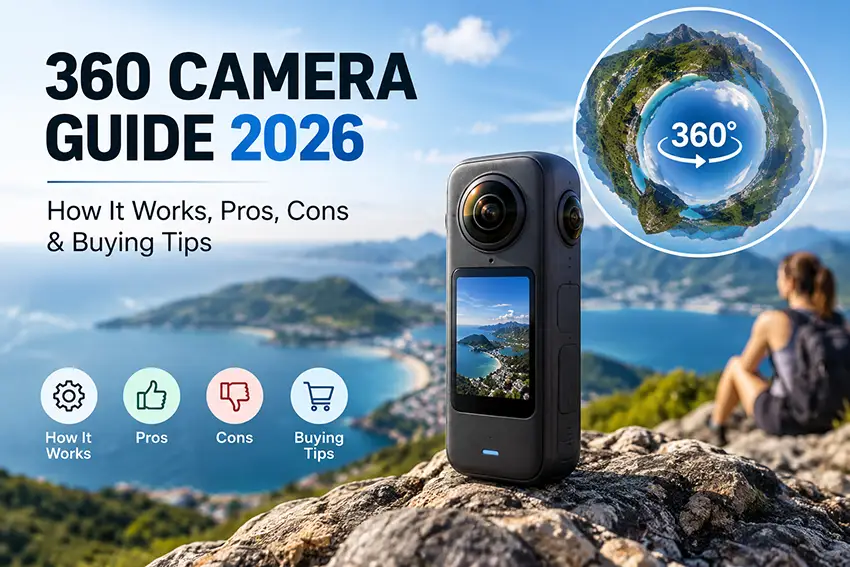
360 Camera Guide 2026: How It Works, Pros, Cons & Buying Tips
A 360 camera captures nearly everything around you, giving you the freedom to choose your framing after you record.
Instead of keeping a traditional camera pointed toward the action, you can capture the surrounding scene and later turn it into an immersive 360 video or a conventional horizontal or vertical clip.
That flexibility makes 360 cameras useful for travel, action sports, virtual tours, real estate, and social media. However, exposed lenses, larger files, and additional editing mean they are not the right choice for everyone.
This guide explains how 360 cameras work, their advantages and limitations, what to check before buying, and which cameras and accessories are worth considering.
Affiliate disclosure: This article contains affiliate links. If you purchase through these links, we may earn a commission. Prices, availability, shipping, and return conditions vary by seller and destination.
Quick Buying Guide: Which 360 Camera Should You Consider?
Start with how you plan to use the camera—not simply the largest resolution number.
The Insta360 X4 and X5 are two models worth comparing. Both support 8K30fps 360 recording, while the X5 adds features such as replaceable lenses and PureVideo for low-light shooting. The X4 supports removable lens guards.
| Model | Why consider it? | What to check before buying |
|---|---|---|
| Insta360 X4 | 8K30fps 360 recording and removable lens guards. | Final price compared with X5, item condition, and included accessories. |
| Insta360 X5 | 8K30fps 360 recording, replaceable lenses, and low-light-focused PureVideo. | Whether the additional features justify the price difference for your needs. |
Check Insta360 X4 Price & Bundle Options
Check Insta360 X5 Price & Bundle Options
These are models to consider, not rankings based on our own hands-on testing. Compare the selected product variant, seller terms, and final delivered price before ordering.
What Is a 360 Camera?
A 360 camera is designed to capture a complete or nearly complete view of its surroundings.
Most consumer models use two ultra-wide-angle lenses positioned on opposite sides of the camera. Each lens captures a different part of the scene, and software combines the overlapping images into a spherical photo or video.
Unlike a conventional recording, which shows the direction the camera was pointing, a 360 recording lets you choose different viewing directions afterward.
You can use the footage in two main ways:
- As an interactive 360 photo or video that viewers explore.
- As a conventional flat video created by selecting a portion of the spherical recording.
The second approach is called reframing.
How Does a 360 Camera Work?
A typical 360 camera uses two main processes: capture and stitching.
1. Capture
Two wide-angle lenses record overlapping views around the camera.
Together, they capture almost the entire environment. Small blind spots can remain around the camera body, and the position of nearby objects can affect the final result.
2. Stitching
Software combines the images from both lenses into a continuous scene.
Good stitching makes the boundary between the two views less noticeable. However, objects very close to the camera or positioned across the stitching boundary can appear distorted.
Modern 360 cameras often handle much of this process through their mobile or desktop applications. For example, the X5 combines footage from two fisheye lenses to create its 360 recording.
Is a 360 Camera Right for You?
A 360 camera makes the most sense when recording multiple directions solves a practical problem.
Consider one if you:
- Frequently miss moments because your camera points in the wrong direction.
- Want to choose camera angles after recording.
- Create travel, cycling, skiing, or other action footage.
- Need immersive photographs for virtual tours.
- Want different compositions from the same recording.
- Enjoy editing and experimenting with unusual perspectives.
A traditional camera or action camera may be more suitable if you:
- Usually know exactly where you want to point the camera.
- Want a simpler recording and editing workflow.
- Mainly take conventional photographs.
- Do not need immersive footage or post-capture reframing.
The important question is not whether a 360 camera has more features. It is whether those features improve the content you actually create.
Advantages of a 360 Camera
Capture First, Frame Later
With a traditional camera, you choose your composition while recording.
With a 360 camera, you can record the surrounding scene and choose the direction afterward. This is especially useful when the action is unpredictable or you cannot easily adjust the camera.
One recording can provide several different views without requiring you to repeat the moment.
Useful for Travel and Action
When cycling, skiing, hiking, or exploring a new destination, keeping a normal camera pointed toward the most interesting part of the scene can be difficult.
A 360 camera gives you more flexibility because it captures multiple directions at once.
However, this does not eliminate the need for sensible positioning. Camera height, distance from your subject, and mounting security still matter.
Creative Third-Person Perspectives
A compatible invisible selfie stick can help create a floating-camera perspective in 360 footage.
The result can look as though someone else is filming you, making it useful for walking shots, travel sequences, and creative action clips. The effect depends on the recording mode, equipment, and correct positioning.
Accessory to Consider: Invisible Selfie Stick
Choose a selfie stick compatible with your camera and intended activity. Follow the manufacturer’s positioning instructions, and do not assume the stick disappears in every recording mode.
Find a Compatible Invisible Selfie Stick
Before ordering, check the mounting connection, supported camera, extension length, and whether the seller includes an adapter.
Virtual Tours
360 photography lets viewers explore a space rather than seeing only one selected angle.
Common applications include:
- Homes and apartments.
- Hotels and holiday rentals.
- Restaurants and shops.
- Offices and event venues.
- Tourist destinations.
For this use, still-image quality, exposure consistency, camera placement, and compatibility with your tour workflow may matter more than action-video features.
Flexible Social Media Content
A single 360 recording can be reframed into several conventional clips.
You can select different directions, follow a subject, and create horizontal or vertical compositions from the same source footage.
This flexibility is useful when you want to publish related content across several platforms, although each version may still require editing.
Disadvantages of 360 Cameras
Exposed Lenses Need Care
The lenses usually protrude from the camera body so they can capture a very wide field of view.
That design also makes them vulnerable to scratches and impacts. Lens damage can noticeably affect your footage.
Model-specific lens guards and a protective case are worth considering, particularly if you travel frequently or record action footage.
Accessories to Consider: Lens Guards and a Protective Case
Lens guards are not interchangeable across every camera model. Select the version intended for your exact camera.
Keep them clean and follow the manufacturer’s instructions. Dirt, scratches, or incorrect installation can affect image quality, and lens guards are not a substitute for an underwater housing.
Use the case for storage and transport, and check whether it fits the camera with your chosen accessories attached.
Resolution Is Spread Across the Entire Sphere
A specification such as 5.7K or 8K describes the complete spherical recording—not the detail in every reframed view.
When you select a small part of that sphere for a normal video, you use only a portion of the original image.
This is why an 8K 360 recording should not be treated as equivalent to an 8K conventional recording.
Judge the exported footage at the framing and viewing size you plan to use.
Low-Light Recording Can Be Challenging
Noise, motion blur, and loss of detail can become more noticeable at night or indoors.
Sensor performance, processing, recording settings, and available light all affect the result. Features designed for low-light shooting can help, but they should not be interpreted as a guarantee of excellent footage in every dark scene.
If this is a priority, examine representative footage before buying.
Stitching Artifacts Can Occur
Because the camera combines views from different lenses, objects near the stitching boundary can sometimes look distorted or partially disappear.
Keeping important subjects slightly farther from the camera and avoiding awkward positioning around the lens boundary can improve results.
Editing Takes Additional Time
Reframing gives you freedom, but it also creates more decisions.
You may need to:
- Select the viewing direction.
- Track a moving subject.
- Adjust the field of view.
- Change the aspect ratio.
- Export different versions.
- Organize and back up large files.
If your priority is recording a clip and immediately sharing it with minimal work, a conventional action camera may be a better fit.
Files Can Be Large
High-resolution 360 recordings can consume considerable storage.
Plan for memory cards, phone or computer storage, and backups—not just the camera itself.
How to Choose a 360 Camera
1. Evaluate Real Video Quality
Do not judge a camera using resolution alone.
Compare:
- Detail after reframing.
- Dynamic range.
- Color and exposure.
- Low-light footage.
- Available frame rates.
- Stabilization.
- Stitching quality.
Whenever possible, examine exported examples similar to the content you want to create.
2. Check Stabilization
Stabilization matters for walking, cycling, skiing, and handheld footage.
Look at examples involving the type of movement you expect to record. A smooth walking demonstration does not necessarily show how a camera handles rough terrain or vibration.
3. Consider Lens Protection and Repair Options
Check whether the camera supports removable guards or replaceable lenses.
These are different features: a guard protects the lens, while a replaceable lens provides a repair option if the lens itself is damaged.
The X4 supports removable lens guards, while the X5 offers replaceable lenses.
4. Compare Battery Life at Your Intended Settings
Battery performance depends on how you record.
Compare results at the resolution, frame rate, and features you expect to use—not just a headline maximum.
For longer sessions, consider whether removable batteries or portable charging fit your workflow.
5. Understand Waterproofing
Do not assume every camera can be submerged without additional protection.
Check the manufacturer’s instructions, including depth limits, required covers, and restrictions.
Also distinguish between surviving underwater and producing well-stitched underwater footage. The X5 manual recommends its dedicated invisible dive case for underwater recording.
6. Check the Editing Software
The app is part of the buying decision.
Consider how easily you can:
- Transfer recordings.
- Reframe footage.
- Track subjects.
- Change aspect ratios.
- Export finished clips.
- Work on your phone or computer.
Check compatibility with the devices you already own before purchasing.
7. Verify Memory Card Requirements
Use the speed class and card type recommended for the exact camera.
For example, the X5 manual specifies UHS-I microSD cards rated V30 or above and formatted as exFAT.
Do not select a card by capacity alone. Check compatibility and buy from a seller you can reasonably trust.
8. Check Audio Options
Built-in microphones may be sufficient for casual use.
If you record interviews, narration, or other speech-focused content, investigate external microphone support and any required adapters before buying.
Insta360 X4 vs X5: Which Should You Consider?
Both cameras are relevant to travel, action, and reframed social media footage. The more useful choice depends on the price difference and which features you need.
| Buying consideration | Insta360 X4 | Insta360 X5 |
|---|---|---|
| 360 video | Supports 8K30fps recording. | Supports 8K30fps recording. |
| Lens-related feature | Removable lens guards. | Replaceable lenses. |
| Low-light consideration | Assess representative footage for your intended use. | Includes PureVideo for low-light shooting. |
| Main buying question | Is its final price meaningfully lower, with a suitable bundle? | Do the additional features justify the extra cost for you? |
Insta360 X4: Consider It When the Price Makes Sense
The X4 offers 8K30fps 360 recording and removable lens guards, making it relevant to the travel and action uses discussed in this guide.
It deserves consideration when the delivered price is meaningfully lower than the X5 and the package includes what you need.
Do not assume it is the better-value option without comparing current prices.
Before purchasing, check:
- Whether the selected item is the camera or an accessory.
- Whether it is new or refurbished.
- The exact bundle contents.
- Shipping and return conditions.
- Whether you need to purchase a memory card separately.
Check Insta360 X4 Price & Bundle Options
Insta360 X5: Consider It for Its Additional Features
The X5 combines 8K30fps 360 recording with replaceable lenses and low-light-focused PureVideo.
These features may be useful if lens repairability or recording in challenging light is important to you.
However, it still requires appropriate camera placement, storage, and editing. Buying the higher-priced model does not automatically make it the right choice for your workflow.
Before purchasing, compare the final price with the X4 and check which accessories are already included.
Check Insta360 X5 Price & Bundle Options
Useful 360 Camera Accessories
You do not need to buy every accessory at once. Start with the items required for your first few recording sessions.
| Accessory | Why consider it? | What to check |
|---|---|---|
| Invisible selfie stick | For creative third-person perspectives in compatible 360 recording modes. | Camera compatibility, mounting connection, and intended activity. |
| Lens guards | To help protect exposed lenses. | Exact model compatibility and installation instructions. |
| Protective case | For transport and storage. | Fit with the camera and accessories you intend to carry. |
| microSD card | For recording and file storage. | Manufacturer-approved type, speed class, and capacity. |
| Dedicated dive case | For underwater filming when recommended by the manufacturer. | Exact camera model, depth rating, and usage instructions. |
A Practical Starter Setup
For general travel and casual recording, start by checking whether you need:
- The camera.
- A compatible memory card.
- An invisible selfie stick.
- Suitable lens protection.
- A protective case.
Read the bundle description before purchasing accessories separately. Some packages already include a selfie stick or lens guards; X5 bundles offered by the manufacturer, for example, can include both.
Optional Accessory: Underwater Housing
A dive case is a specialized purchase, not an essential item for every owner.
If you plan to record underwater, follow the camera manufacturer’s recommendations rather than relying solely on the seller’s product title.
Which Type of 360 Camera Should You Choose?
For Travel
Prioritize portability, battery life, stabilization, mobile editing, and safe lens storage.
Also consider how you will transfer and back up recordings while away from home.
For Action Sports
Prioritize stabilization, secure mounting, appropriate water resistance, and lens protection.
Choose mounting equipment intended for your activity, and follow its load and installation instructions.
For Virtual Tours
Prioritize still-image quality, consistent exposure, and compatibility with your tour platform.
A camera that suits action video is not automatically the best choice for an indoor photography workflow.
For Social Media
Prioritize easy reframing, subject tracking, vertical exports, and a mobile app that works well with your phone.
Think about how much editing you are willing to do for each clip.
For Professional Production
Look beyond headline resolution.
Consider manual controls, recording formats, audio support, repeatable results, and desktop workflow. Confirm that the camera meets the requirements of your actual project before choosing it.
360 Camera vs Action Camera
Choose a conventional action camera when you know which direction you want to film and prefer a straightforward workflow.
Choose a 360 camera when capturing multiple directions and choosing the composition later is more useful.
| Your priority | Option to consider |
|---|---|
| Record one chosen view with less reframing | Conventional action camera |
| Choose viewing directions after recording | 360 camera |
| Produce immersive footage | 360 camera |
| Create several compositions from one recording | 360 camera |
| Avoid a 360 editing workflow | Conventional action camera |
Some creators use both because they solve different problems.
Frequently Asked Questions
Does a 360 camera record absolutely everything?
Most consumer models capture nearly the complete environment by combining footage from multiple wide-angle lenses. Small blind spots can remain around the camera body.
Can I make normal videos with a 360 camera?
Yes. Reframing lets you select part of the spherical recording and export it as a conventional flat video.
Does 8K 360 video mean every exported clip is 8K?
No. The resolution covers the entire spherical image. A reframed clip uses only a portion of that image, so its visible detail depends on the crop and other factors.
Do I need an invisible selfie stick?
No. It is useful for particular third-person perspectives, but it is not required for every type of 360 recording.
Check compatibility and remember that the invisible effect depends on how you use it.
Are lens guards interchangeable between models?
Do not assume they are. Buy guards designed for your exact camera model and follow the installation instructions.
Should I buy a bundle or the camera alone?
Compare the bundle contents with what you actually need.
A bundle is only useful if the included accessories are compatible, suitable, and worth the difference in price. Check for duplicate items before ordering anything separately.
Can I use a 360 camera underwater without a dive case?
Follow the instructions for your exact model.
Water resistance and underwater image quality are separate considerations. For the X5, the manufacturer recommends a dedicated invisible dive case for underwater recording.
Are 360 cameras suitable for beginners?
They can be, particularly when automatic stitching and mobile editing simplify the process. However, reframing introduces an additional workflow to learn.
Final Buying Advice
Choose a 360 camera because you need its capture-and-reframe flexibility—not simply because it has a high resolution number.
Start with your intended use, then compare image quality, stabilization, lens protection, editing software, battery performance, and storage requirements.
The X4 is worth considering when its current price and bundle offer suit your needs. The X5 deserves a closer look when replaceable lenses and low-light-focused features matter enough to justify the difference.
Before ordering, confirm the selected variant, seller terms, condition, included accessories, and final delivered price.
Compare Insta360 X4 Options on AliExpress
Compare Insta360 X5 Options on AliExpress